Live Demo
Try the Live Demo Start with a night sky
The demo is a simulated SQMeter in your browser. It runs the firmware's own code - the same sky-quality maths, cloud model, safety rules, alert engine and ASCOM Alpaca API as the device, compiled to WebAssembly - so it behaves the way a real one does. No hardware, no account.
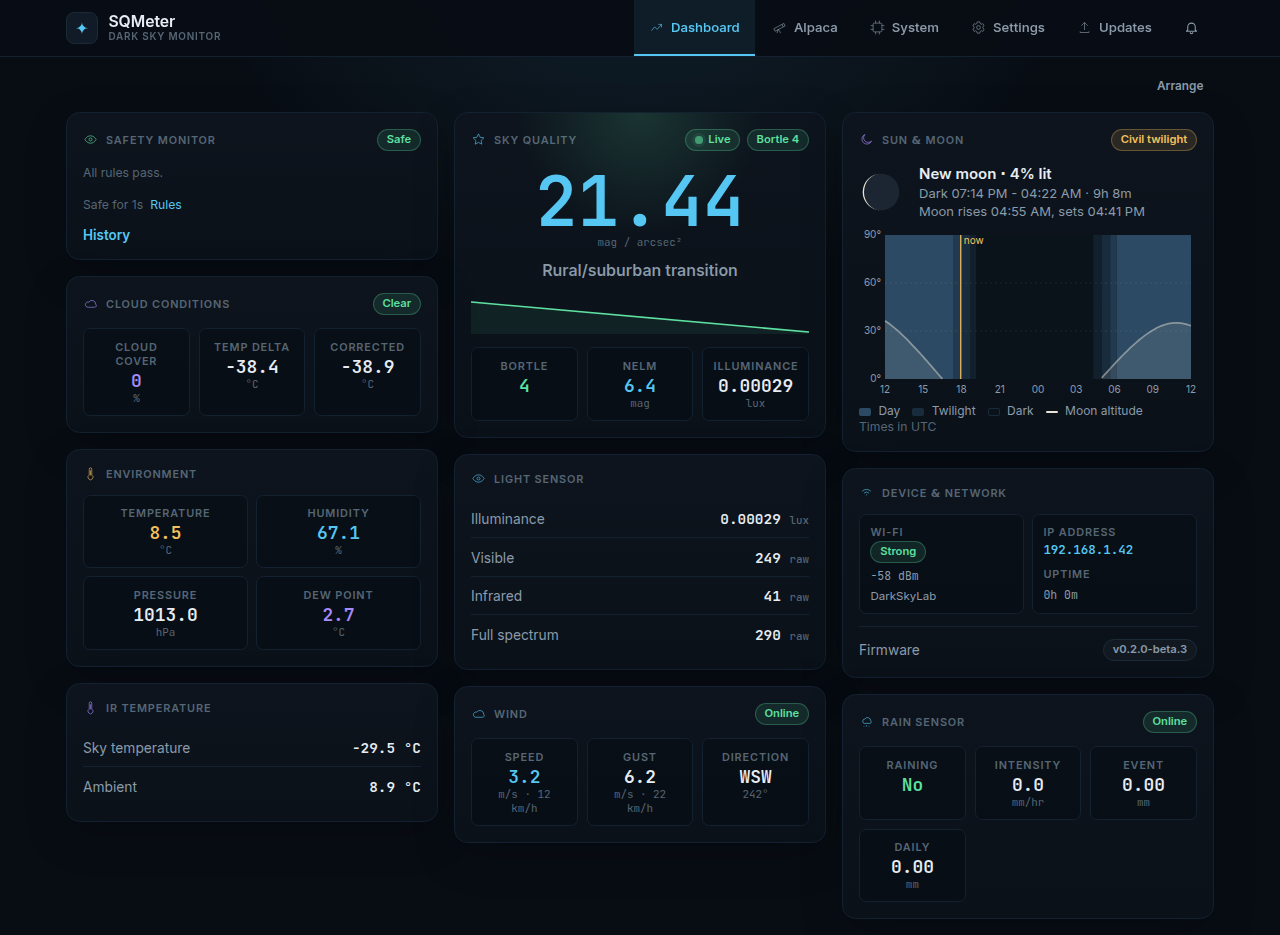
What's real and what's simulated
| Real (the device's code) | Simulated (the demo) |
|---|---|
| SQM, NELM, Bortle, cloud cover, dew point | The raw sensor values: light, sky and air temperature, humidity, pressure, rain, wind, GPS |
| The safety verdict, its reasons and the safe delay | The weather, and sensor faults you trigger |
| Alerts: which events fire, their level, wording and stacking | Delivery - nothing is sent to Pushover, ntfy, a webhook or MQTT |
| Settings: defaults, validation and error messages | WiFi, restarts, firmware updates and uploads |
| The Alpaca API N.I.N.A. talks to | The network - the demo never connects to anything |
Because the dashboard, the Alpaca page and the Alpaca API all come from one emulated device, they always agree.
Things to try
Open the ✦ Demo button (bottom right) for weather and fault scenarios:
| Scenario | What you'll see |
|---|---|
| Night sky | A dark, clear sky for half an hour, whatever the time of day |
| Rain | Raining on the dashboard, the verdict turns unsafe ("Rain detected"), an alert under the bell, and Alpaca IsSafe false - then it clears after the rain clear delay |
| Cloud over / Clear | Cloud cover rising past your limit, the "Clouded over" alert, and back |
| Dawn | The sky brightening - try an SQM minimum in the safety rules |
| Sensor fails | A sensor stops answering: its card goes, the verdict counts it, a "sensor fault" alert |
Run the device clock 10× faster shortens the device's own delays (rain clear delay, safe delay, alert cooldowns) so you don't wait 15 minutes.
Then change settings and watch them take effect:
- Settings → Time & Location: turn GPS off, or on and restart - just as on a device, GPS only starts after a restart. Change the location and Sun & Moon, darkness and the device's sun altitude follow.
- Settings → Safety: tighten a rule (cloud cover, SQM) past the current reading and the verdict turns unsafe with that reason.
- Settings → Sensors: switch the rain gauge or anemometer off and they disappear from the dashboard, the readings and Alpaca.
- Settings → Alerts: change an event's level or write your own wording, then Test - the alert shows under the bell with "Demo: nothing was sent".
- Enter an invalid value and you get the device's own error message.
Device addresses work too: open /management/v1/description or /api/sensors to see what the device would answer.
Links can start a scenario: https://demo.sqmeter.dev/?scenario=rain (also night, cloud, clear, dawn, fail-light, fail-ir, fail-environment, fail-rain).
Your changes
Changes last until you close the tab - a refresh keeps them. Reset demo in the Demo panel starts over. Nothing is stored anywhere but your own browser.
Nothing leaves your browser
The demo only talks to itself: there is no server behind it, and the page's security policy stops it contacting anything else. Keys or addresses you type into the alert or MQTT settings go nowhere. An automated test exercises every action and checks that no request leaves the page.
Source
- The device code:
lib/, built for the browser bytools/demo-core - The simulator, request handling and Demo panel:
web/src/demo/ - The design: spec 016